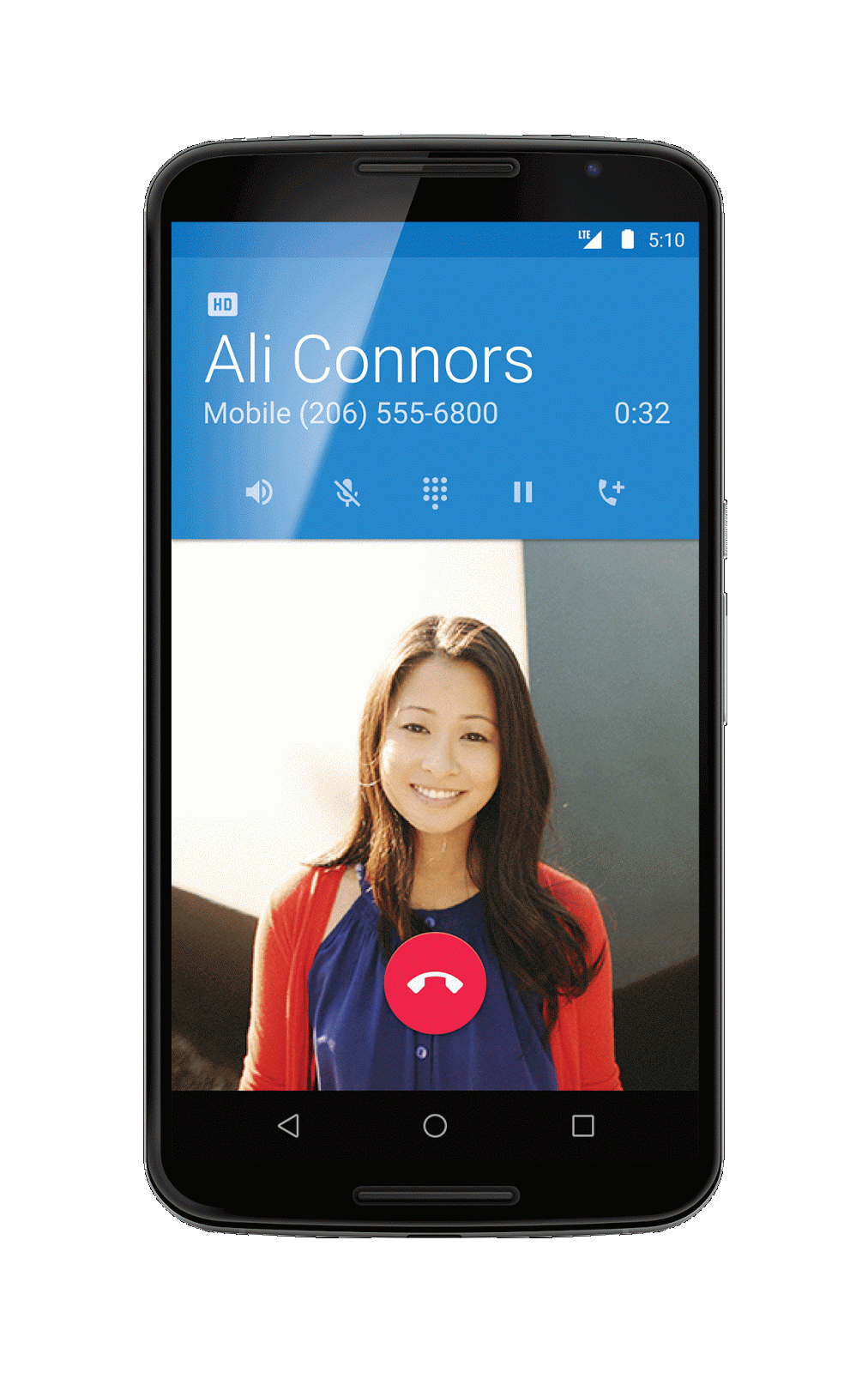
Today we are rolling out Android 5.1 - an update to Lollipop that improves stability and performance and offers a few new features like support for multiple SIM cards, Device Protection and high definition (HD) voice on compatible phones.
Whether you want to share your phone with a family member or better manage your mobile costs, Android Lollipop 5.1 now lets you use more than one SIM card on a device with multiple SIM slots.
With Device Protection, your lost or stolen device will remain locked until you sign in with your Google account - even if someone resets your device to factory settings. This feature will be available on most Android phones and tablets shipped with Android 5.1 in addition to Nexus 6 and Nexus 9.
High Definition voice calling is now on your mobile phone. Get crystal clear calling with HD Voice between compatible Android 5.1 devices like the Nexus 6 on T-Mobile or Verizon.
Android 5.1 Lollipop also provides enhancements such as the ability to join Wi-Fi networks and control of your paired Bluetooth devices directly from Quick Settings.
We hope you enjoy these tasty additions to Android Lollipop as you get more out of your Android phone and tablet.
Today, we’re bringing you new tools to build better apps with the completion of the rollout of Google Play services 7.0. With this release, we’re delivering improvements to location settings experiences, a brand new API for place information, new fitness data, Google Play Games, and more.
Location Settings Dialog
While the FusedLocationProviderApi combines multiple sensors to give you the optimal location, the accuracy of the location your app receives still depends greatly on what settings are enabled on the device (e.g. GPS, wifi, airplane mode, etc). In Google Play services 7.0, we’re introducing a standard mechanism to check that the necessary location settings are enabled for a given LocationRequest to succeed. If there are possible improvements, you can display a one touch control for the user to change their settings without leaving your app.
This API provides a great opportunity to make for a much better user experience, particularly if location information is critical to the user experience of your app such as was the case with Google Maps when they integrated the Location Settings dialog and saw a dramatic increase in the number of users in a good location state.
Places API
Location can be so much more than a latitude and longitude: the new Places API makes it easy to get details from Google’s database of places and businesses. The built-in place picker makes it easy for the user to pick their current place and provides all the relevant place details including name, address, phone number, website, and more.
If you prefer to provide your own UI, the getCurrentPlace() API returns places directly around the user’s current location. Autocomplete predictions are also provided to allow a low latency search experience directly within your app.
You can also manually add places with the addPlace() API and report that the user is at a particular place, ensuring that even the most explorative users can input and share their favorite new places.
The Places API will also be available cross-platform: in a few days, you’ll be able to apply for the Places API for iOS beta program to ensure a great and consistent user experience across mobile platforms.
Google Fit
Google Fit makes building fitness apps easier with fitness specific APIs on retrieving sensor data like current location and speed, collecting and storing activity data in Google Fit’s open platform, and automatically aggregating that data into a single view of the user’s fitness data.
In Google Play services 7.0, the previous Fitness.API that you passed into your GoogleApiClient has now been replaced with a number of APIs, matching the high level set of Google Fit Android APIs:
SENSORS_API to access raw sensor data via SensorsApi
HISTORY_API for inserting, deleting, or reading data via HistoryApi
SESSIONS_API for managing sessions via SessionsApi
BLE_API to interact with Bluetooth Low Energy devices via BleApi
CONFIG_API to access custom data types and settings for Google Fit via ConfigApi
This change significantly reduces the memory requirement for Google Fit enabled apps running in the background. Like always, apps built on previous versions of Google Play services will continue to work, but we strongly suggest you rebuild your Google Fit enabled apps to take advantage of this change.
Having all the data can be an empowering part of making meaningful changes and Google Fit is augmenting their existing data types with the addition of body fat percentage and sleep data.
Google Play Games
Announced at Game Developers Conference (GDC), we’re offering new tools to supercharge your games on Google Play. Included in Google Play services 7.0 is the Nearby Connections API, allowing games to seamlessly connect smartphones and tablets as second-screen controls to the game running on your TV.
App Indexing
App Indexing lets Google index apps just like websites, enabling Google search results to deep-link directly into your native app. We've simplified the App Indexing API to make this integration even easier for you by combining the existing view()/viewEnd() and action()/end() flows into a single start() and end() API.
Changes to GoogleApiClient
GoogleApiClient serves as the common entry point for accessing Google APIs. For this release, we’ve made retrieval of Google OAuth 2.0 tokens part of GoogleApiClient, making it much easier to request server auth codes to access Google APIs.
SDK Now Available!
You can get started developing today by downloading the Google Play services SDK from the Android SDK Manager.
Posted by Greg Hartrell, Senior Product Manager of Google Play Games
Everyone has a gaming-ready device in their pocket today. In fact, of the one billion Android users in more than 190 countries, three out of four of them are gamers. This allows game developers to reach a global audience and build a successful business. Over the past year, we paid out more than $7 billion to developers distributing apps and games on Google Play.
At our Developer Day during the Game Developers Conference (GDC) taking place this week, we announced a set of new features for Google Play Games and AdMob to power great gaming. Rolling out over the next few weeks, these launches can help you better measure and monetize your games.
Better measure and adapt to player needs
“Player Analytics has helped me hone in on BombSquad’s shortcomings, right the ship, and get to a point where I can financially justify making the games I want to make.”
Eric Froemling, BombSquad developer
Google Play Games is a set of services that help game developers reach and engage their audience. To further that effort, we’re introducing Player Analytics, giving developers access to powerful analytics reports to better measure overall business success and understand in-game player behavior. Launching in the next few weeks in the Google Play Developer Console, the new tool will give indie developers and big studios better insight into how their players are progressing, spending, and churning; access to critical metrics like ARPPU and sessions per user; and assistance setting daily revenue targets.
BombSquad, created by a one-person game studio in San Francisco, was able to more than double its revenue per user on Google Play after implementing design changes informed during beta testing Player Analytics.
Optimizing ads to earn the most revenue
After optimizing your game for performance, it’s important to build a smarter monetization experience tailored to each user. That’s why we’re announcing three important updates to the AdMob platform:
Native Ads: Currently available as a limited beta, participating game developers will be able to show ads in their app from Google advertisers, and then customize them so that users see ads that match the visual design of the game. Atari is looking to innovate on its games, like RollerCoaster Tycoon 4 Mobile, and more effectively engage users with this new feature.
In-App Purchase House Ads Beta: Game developers will be able to smartly grow their in-app purchase revenue for free. AdMob can now predict which users are more likely to spend on in-app purchases, and developers will be able to show these users customized text or display ads promoting items for sale. Currently in beta, this feature will be coming to all AdMob accounts in the next few weeks.
Audience Builder: A powerful tool that enables game developers to create lists of audiences based on how they use their game. They will be able to create customized experiences for users, and ultimately grow their app revenue.
"Atari creates great game experiences for our broad audience. We're happy to be partnering with Google and be the first games company to take part in the native ads beta and help monetize games in a way that enhances our users' experience."
Todd Shallbetter, Chief Operating Officer, Atari
New game experiences powered by Google
Last year, we launched Android TV as a way to bring Android into the living room, optimizing games for the big screen. The OEM ecosystem is growing with announced SmartTVs and micro-consoles from partners like Sony, TPVision/Philips and Razer.
To make gaming even more dynamic on Android TV, we’re launching the Nearby Connections API with the upcoming update of Google Play services. With this new protocol, games can seamlessly connect smartphones and tablets as second-screen controls to the game running on your TV. Beach Buggy Racing is a fun and competitive multiplayer racing game on Android TV that plans to use Nearby Connections in their summer release, and we are looking forward to more living room multiplayer games taking advantage of mobile devices as second screen controls.
At Google I/O last June, we also unveiled Google Cardboard with the goal of making virtual reality (VR) accessible to everyone. With Cardboard, we are giving game developers more opportunities to build unique and immersive experiences from nothing more than a piece of cardboard and your smartphone. The Cardboard SDKs for Android and Unity enable you to easily build VR apps or adapt your existing app for VR.
Check us out at GDC
Visit us at the Google booth #502 on the Expo floor to get hands on experience with Project Tango, Niantic Labs and Cardboard starting on Wednesday, March 4. Our teams from AdMob, AdWords, Analytics, Cloud Platform and Firebase will also be available to answer any of your product questions.
For more information on what we’re doing at GDC, please visit g.co/dev/gdc2015.
Android Wear has a device for just about everyone, with watches that range from traditional and round, to sporty and square. Throw in custom watch faces and apps that accentuate your style and you’ve got countless ways to express who you are, right on your wrist.
Today, there are now even more ways to show people what you’re about, including a new batch of apps, a growing ecosystem of partners, and new watches coming from LG and Huawei.
All kinds of apps for all kinds of interests
Life is about doing, not just viewing, and with Android Wear there are now thousands of feature-rich apps for nearly any activity.
Time to start the day. Want to color coordinate your outfit? DressWatch lets you take a picture of what you’re wearing and set your watch face to match your clothes. Or, if you happen to be eating a kiwi, you can use Fruity Slices to match your breakfast.
Once you’re feeling stylish, PixtoCam lets you take a high-tech selfie, using your watch as a remote viewfinder to zoom and click. You can review all your photos with MyRoll and share them right from your watch.
Waiting for the bus with time to kill? Leap from building to building with Skyscraper Jumper, dig for gold with Mineshaft, or check up on news from your favorite sites with Palabre.
If you need to send a quick text during the day, Coffee includes more than 100 customizable messages. You can also jot down a task on Todoist by saying “OK Google, take a note.”
When it’s time for a run, Google Play Music can turn your watch into a music player, so you can leave your phone at home. If you need a little extra motivation, My Fitness Racer lets you unlock speed boosts with the more steps you take.
Golf Swing Analyzer uses the watch’s accelerometer and gyroscope to measure the tempo, speed, and angle of your swing. And if (when?) you run out of golf balls, you can grab a few more with Amazon Shopping.
If you’re more the musical type, you can install atHandTuner to precisely tune your guitar, ukulele, or didgeridoo using the watch’s built-in microphone. And if you come across a song that inspires, you can use Musixmatch to identify it in seconds.
Before you call it a night, you can check in on the baby with tinyCam, right from your watch. And when it’s finally time to turn in, you can track your sleep cycle—and even detect your snoring—using Sleep as Android.
Android Wear makes your everyday life easier. Why dig around your purse or pocket to answer a call when you can see (and ignore) the caller directly from your wrist? ;-) And why interrupt a perfectly good conversation when you can just glance at your watch for updates? Many apps on Google Play include these Android Wear notifications, so you can stay connected and stay present.
Whatever you’re into, and whatever you’re up for, you’re bound to find an app that fits your wrist. Browse any one of our hand-picked collections on Google Play—includingHealth & Fitness, Travel & Local, Communication, and Watch Faces—and try one on for size. And if you’re a developer, keep taking advantage of the flexibility of Android Wear to build more awesome apps.
More watches, more choices
Making an Android Wear device your own is made possible by an amazing community of partners—from manufacturers like ASUS, HTC, LG, Motorola, Samsung, and Sony, to chip makers like Broadcom, Intel, Mediatek, MIPS, and Qualcomm, to fashion brands like Fossil.
The ASUS ZenWatch, which went on sale in November, recently won an iF Product Design Award - congratulations ASUS. Sony just announced swappable metal, brown leather, and black leather straps for the SmartWatch 3. In March, Motorola will introduce the ability to design your own personal Moto 360 using their Moto Maker design studio. LG recently announced their latest watch, the LG Watch Urbane, the first all metal luxury Android Wear watch.
And just today, Huawei announced the Huawei Watch, featuring a beautiful 286 ppi circular AMOLED display.
So choose your favorite watch, add a beautiful watch face, install a great app, and voila. Dress code: wear what you want.
Posted by Jeff Chang, Senior Product Manager, Android Wear
Posted by Michael Siliski, Product Management Director, Google Play
Google Play now reaches more than 1 billion people on Android devices in more than 190 countries, helping a growing number of developers like you build successful global businesses. In fact, in the past year, we paid more than $7 billion to developers distributing apps and games on Google Play. We remain as committed as ever to making Google Play the best place to find great apps, games and other entertainment.
App discovery plays a critical role in driving your continued success, and over the past year Google has provided bestpractices to enhance app discovery and engagement, as well as app promotion tools to get the most out of search and display advertising for developers. We are always looking for new ways to help you get your apps in front of potential new users. That’s why, in the next few weeks, we will begin piloting sponsored search results on Google Play, bringing our unique expertise in search ads to the store.
With more than 100 billion searches every month on Google.com, we’ve seen how search ads shown next to organic search results on Google.com can significantly improve content discovery for users and advertisers, both large and small. Search ads on Google Play will enable developers to drive more awareness of their apps and provide consumers new ways to discover apps that they otherwise might have missed.
In the coming weeks, a limited set of users will begin to see ads from a pilot group of advertisers who are already running Google search ads for their apps. We’ll have more to share in the coming months about the expansion of this program as we look at the results and feedback. We believe search ads will be a useful addition to Google Play for users and developers alike, and we hope this will bring even more success to our developer community.
Work doesn’t just happen in an office from 9 to 5 anymore. Today’s workers are mobile workers, and they need to be able to get things done as efficiently and collaboratively as possible, at any time. That’s why the Android for Work initiative is bringing together partners across the ecosystem, from device and app makers to networking and management solutions, to provide businesses with a secure, flexible and reliable mobility platform that users already know and love.
Google Play for Work allows businesses to securely deploy and manage enterprise-grade apps, across all of their users running Android for Work. Google Play for Work simplifies the process of distributing apps to employees and ensures that IT approves every deployed app. For developers, this is an opportunity to reach a new audience at scale through bulk installs or purchasing, which enables easy installation of your app across enterprises.
How to join Google Play for Work
Free apps will be available on Google Play for Work at launch with no action needed on your part. If you have a paid app, you’ll soon be able to opt-in to make your app available for bulk purchase on Google Play for Work in the Developer Console during the app publishing process. Find out more about publishing in the Google Play Developer Help Center.
Designing great apps for Android for Work
Apps that are installed from Google Play for Work will function without code changes. However, please note that some of the controls that Android for Work offers IT admins could affect how your app works. To ensure the best possible experience for your users, watch the first in our series of Android for Work DevBytes below to understand the best practices you should be following in developing your app.
Over a billion people today carry Android smartphones—devices that are more powerful than the computers we used just a few years ago.
For many, these phones have become essential tools to help us complete important work tasks like checking email, editing documents, reviewing sales pipelines and approving deals. But for the majority of workers, smartphones and tablets are underutilized in the workplace. Their business and innovation potential remain largely untapped.
Today we're announcing the Android for Work program to tap into that potential. With a group of partners, we're helping businesses bring more devices to work by securing, managing and innovating on the Android platform.
Android for Work features four key technology components:
Work profiles – We’ve built on the default encryption, enhanced SELinux security enforcement and multi-user support in Android 5.0, Lollipop to create a dedicated work profile that isolates and protects work data. IT can deploy approved work apps right alongside their users personal apps knowing their sensitive data remains secured. People can use their personal apps knowing their employer only manages work data and won’t erase or view their personal content.
Android for Work app – For devices running Ice Cream Sandwich through Kitkat, or that don’t run work profiles natively, we’ve created the Android for Work app. The app, which delivers secure mail, calendar, contacts, documents, browsing and access to approved work apps, can be completely managed by IT.
Google Play for Work – It allows businesses to securely deploy and manage apps across all users running Android for Work, simplifying the process of distributing apps to employees and ensures that IT approves every deployed app.
Built-in productivity tools – For everyday business tasks, we’ve created a suite of business apps for email, contacts and calendar, which supports both Exchange and Notes and provides document editing capabilities for documents, spreadsheets and presentations.
We’re joined by a number of partners as part of the Android for Work program, including many familiar names within the Android ecosystem:
Our partners bring IT:
Consistent management – Enterprise mobility management (EMM) providers integrate with standardized management APIs to create a simple way to manage all Android devices, new and old, from one dashboard. All Android for Work capabilities are delivered through EMM partners, with more providers available soon.
Secure business apps – Software vendors and developers can create a single version of any Google Play app that can be securely deployed to any Android device without alterations or wrapping. And they can create standard management configurations that allow IT to apply policies per app.
Innovative devices – Android smartphone and tablet makers are a key part of the Android for Work program, as they create devices and experiences that add additional value for customers.
Together with a wide range of management, application and device makers, we believe the Android for Work program provides businesses and workers with the choice and flexibility they need to get things done at work.